












Please follow the given steps to update your dummy email address to your personal email address:
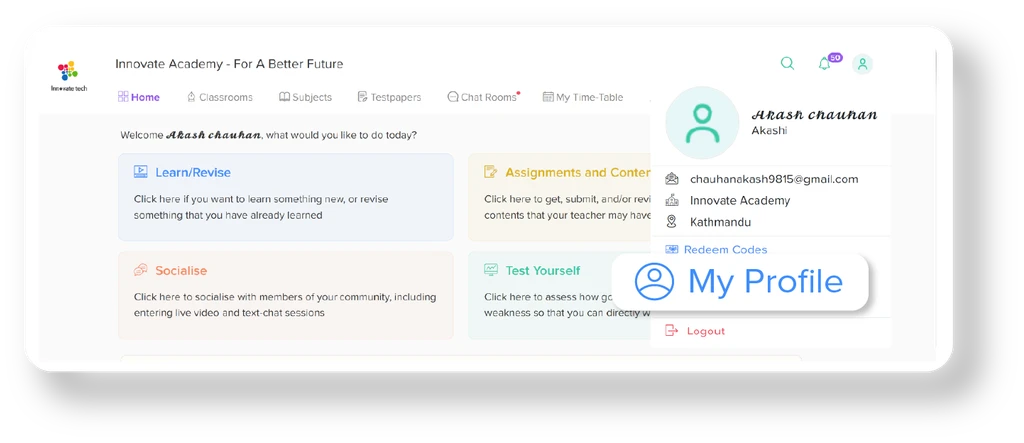
Login to your account and click on “My Profile”
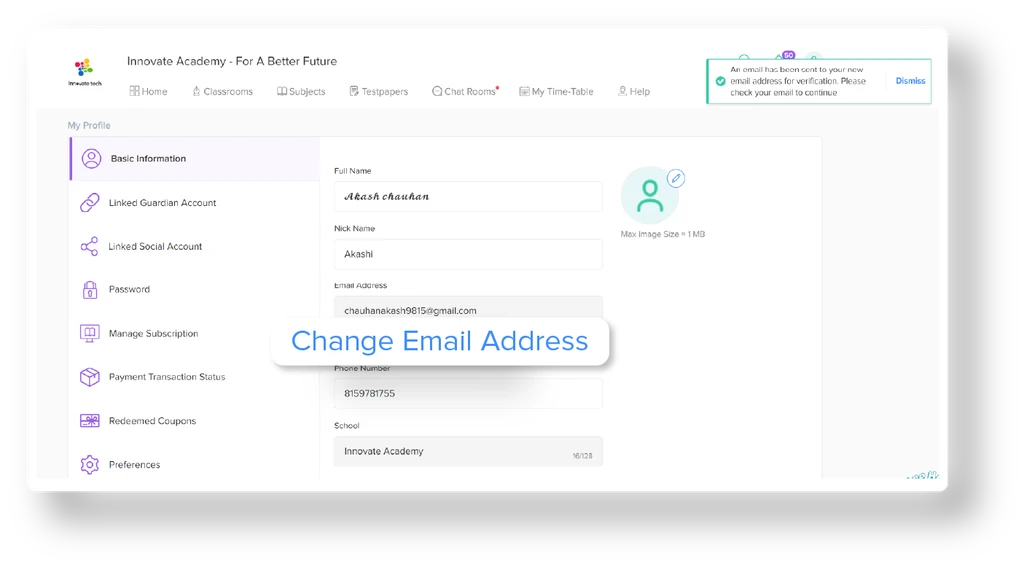
Click on “Change Email Address”
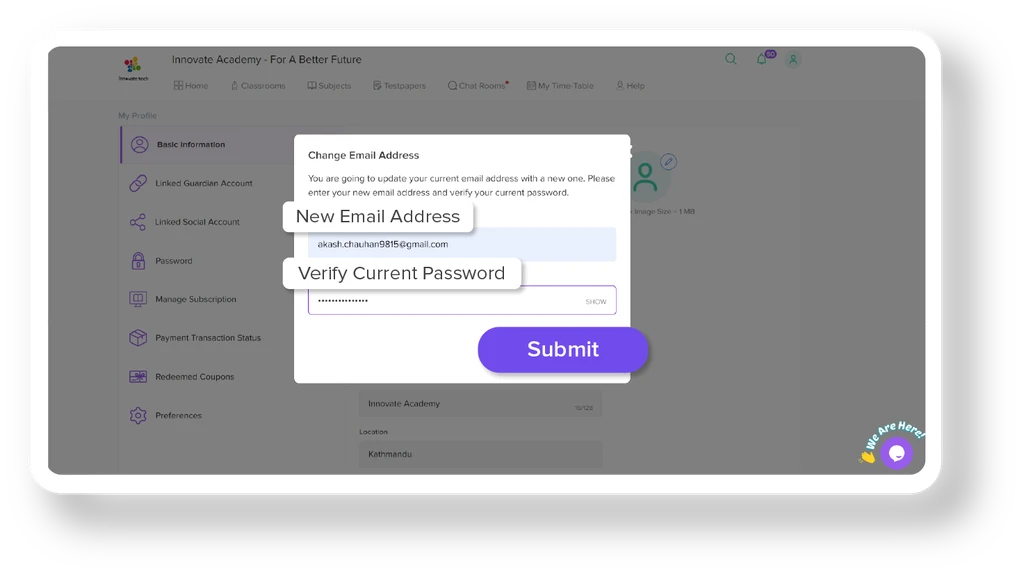
Enter your new personal email address and your current password
Click on “Submit”
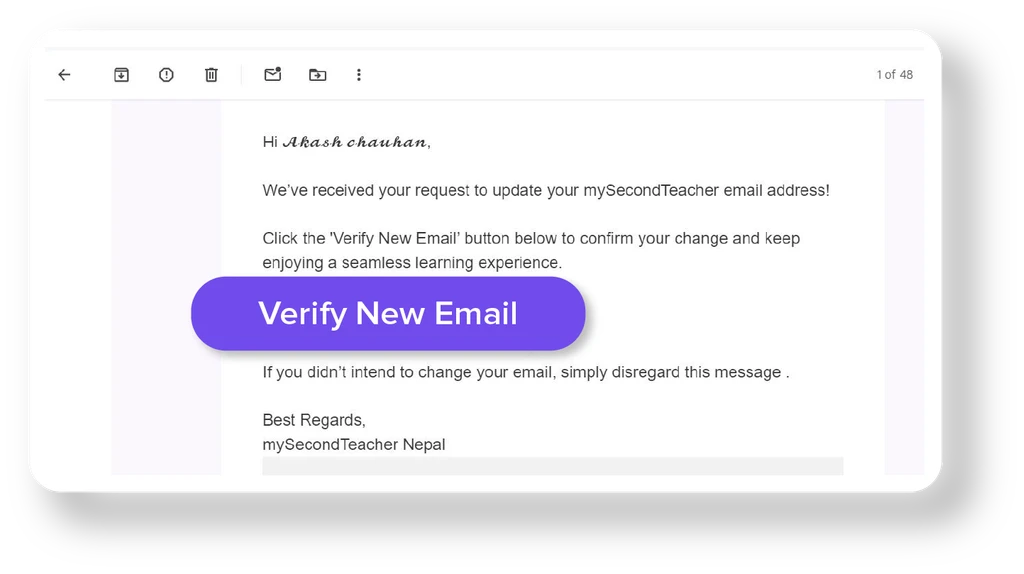
A verification link will be sent to your new email address
Open the email and click on “Verify New Email”
Once verified, you will be able to log in using your new email address